

Personalizing messages using template tags
You can add template tags to your messages and emails to make them far more engaging and effective. Just click the icon on the right of the text block, the purple icon to add a template tag.
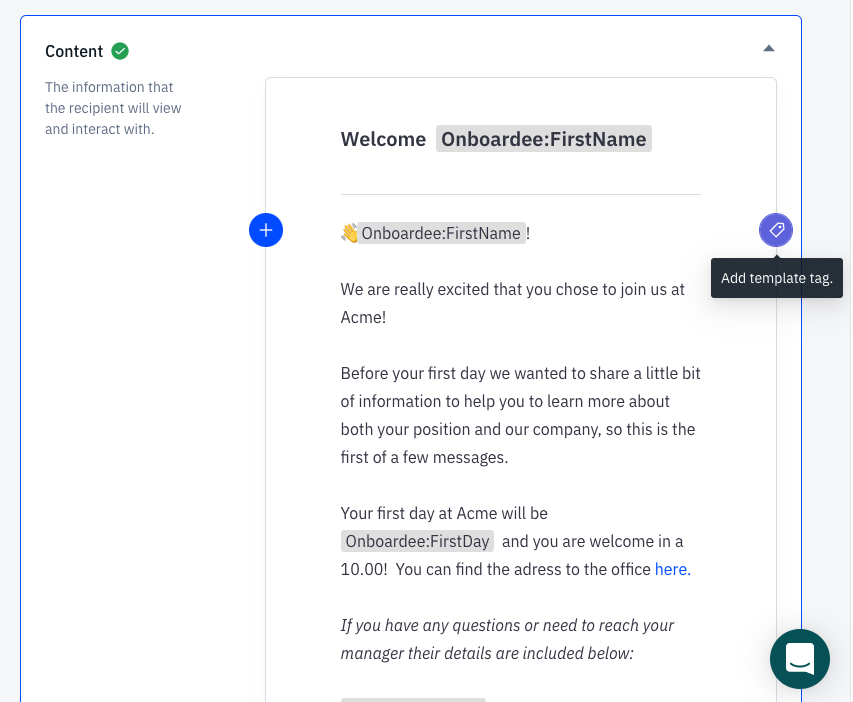
Here are some useful examples:
Section titled “Here are some useful examples:”First name
Section titled “First name”You can greet each user by their first name. We’ll automatically add this at the beginning of each message for you because it’s best practice. It’s easy to remove it if you don’t need it.
Manager name
Or you could add the manager’s name. It’s a great way to personalise the message for the new hire and add some familiarity to it.
You can customize your template tags by updating user details
Section titled “You can customize your template tags by updating user details”If you would like to customize the template tags you can do that easily by adding custom fields to the user object. All custom fields will be available as a template tag once it’s added to the user object. Here is an article that shows you how to do it.