
Copying a message to another journey
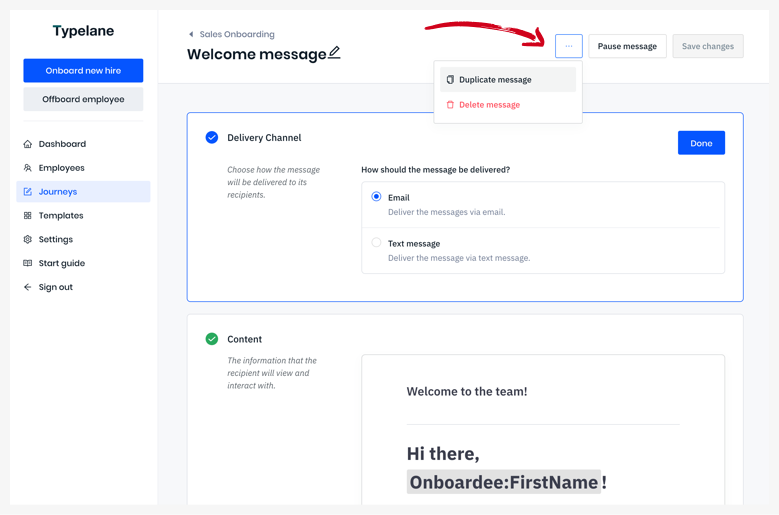
Go to the message you want a copy of and click the ··· button in the top right corner. Select Duplicate message and you’ll get to choose which journey you want to copy over the message to.
You can now make changes to the copy without affecting the original message. Employees being on- or offboarded with the journey wont be affected by this action.