
Edit user details
You can at any point update employee details if needed. You can easily:
- Update employee details
- Change the manager
- Update their first or last date
- Add additional information
How to update employee details:
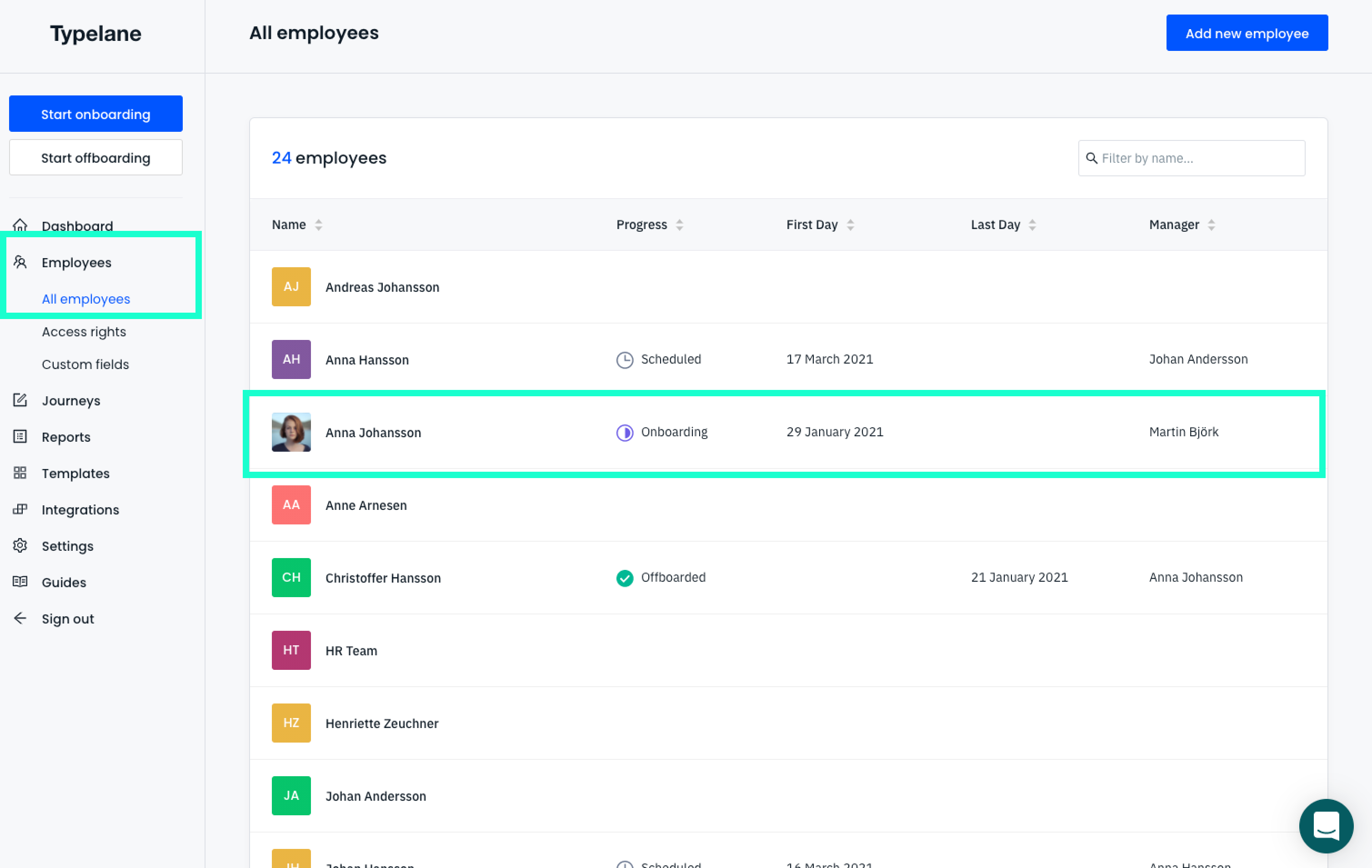
Section titled “How to update employee details:”To update employee details make sure you go to:
- Employees - Which can be found in the left of the navigation
- Choose the employee you would like to update the details for
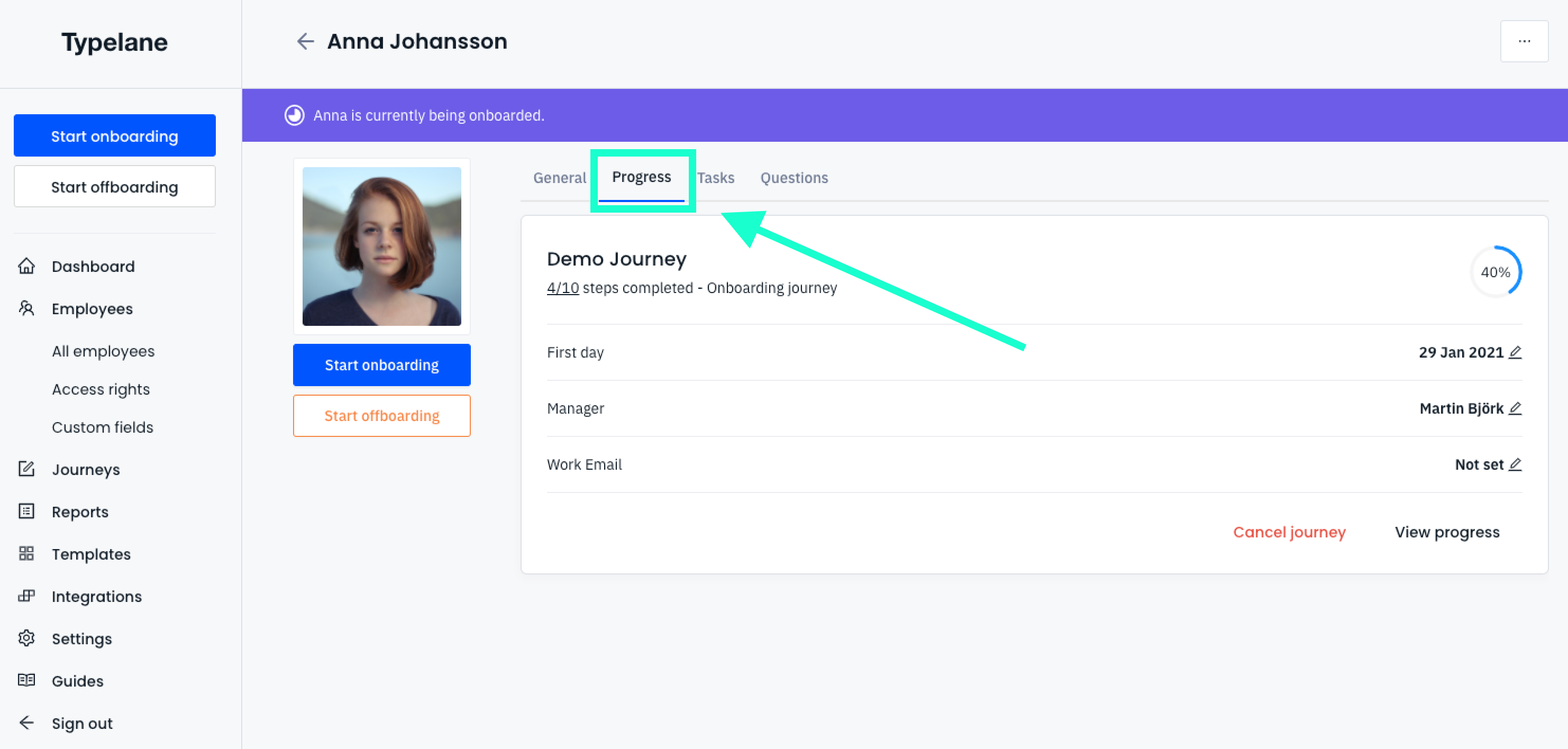
Changing the start date or manager
Section titled “Changing the start date or manager”You can easily change the start date or the manager or start date in Typelane. The journey will automatically be updated to the new information.
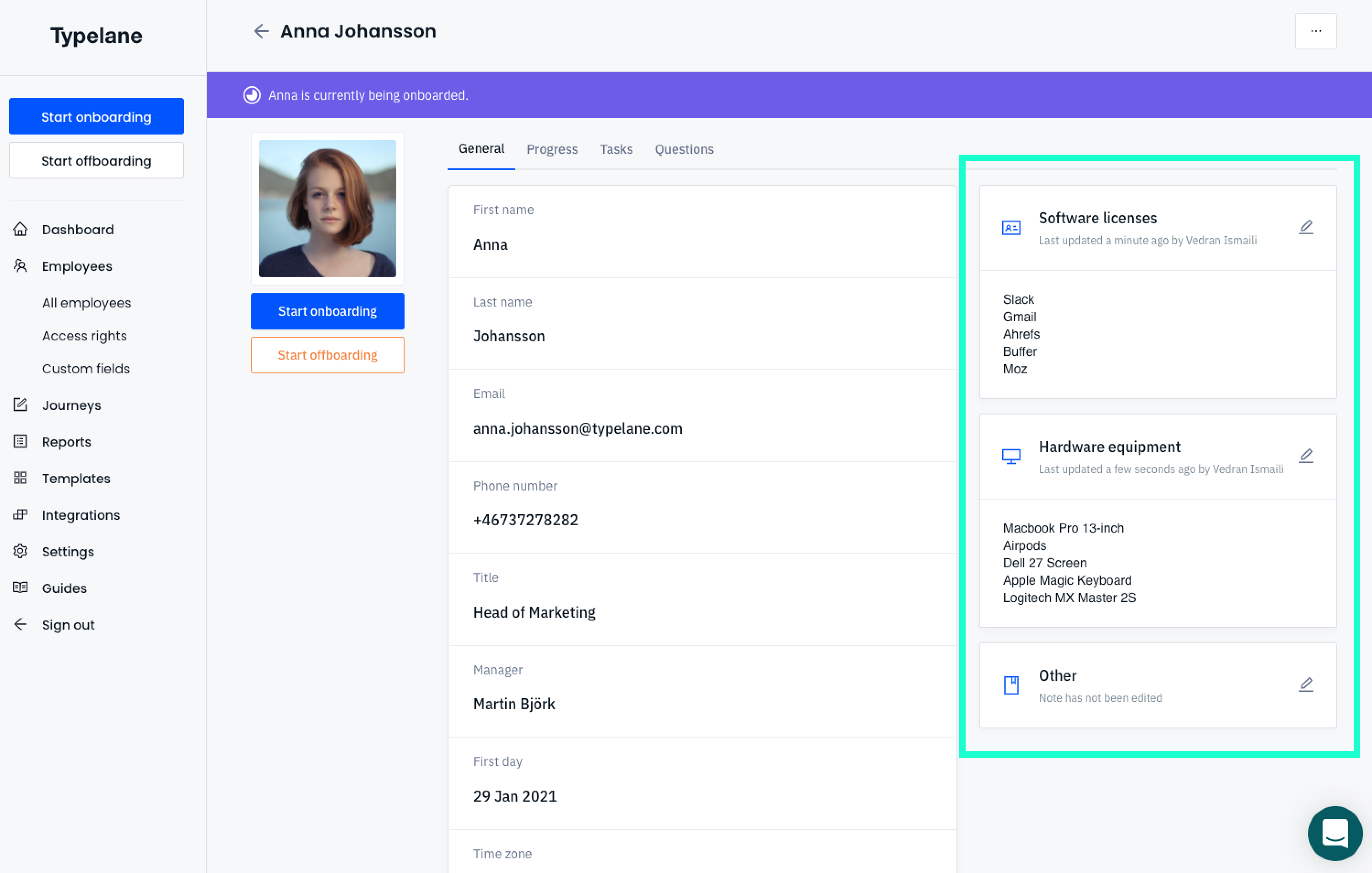
Adding user notes:
Section titled “Adding user notes:”We have also made it simple to track which hardware and software each employee has with notes. Knowing how hard it is to keep a good overview at scale we wanted to make this as simple as possible for every new hire.