

Completing and deleting tasks
In the Task report, you as an admin can complete, incomplete or delete tasks.
- When you as an admin Complete tasks, your name will be listed as Completed by.
- Deleting tasks is a permanent action.
Completing tasks / Deleting due tasks
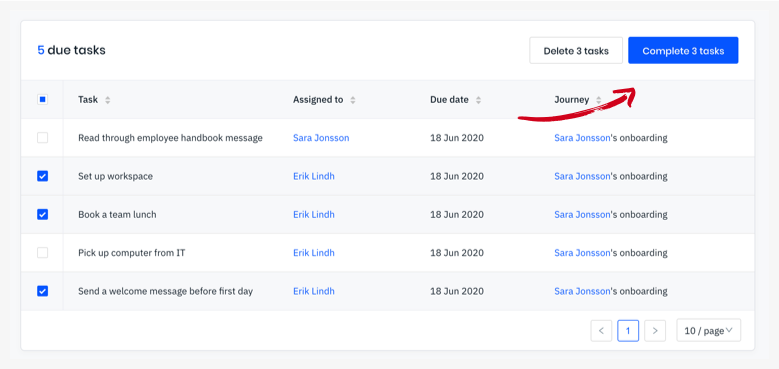
Section titled “Completing tasks / Deleting due tasks”Select the tasks you want to set as complete or delete in the Due tasks table, and click the Complete button.
Set tasks to incomplete / Deleting completed tasks
Section titled “Set tasks to incomplete / Deleting completed tasks”Same thing as above except in the table below, select the tasks you want to set as incomplete or delete in the Completed tasks table, and click the Incomplete button.