

How to remove users from Typelane
If you are an admin you can simply remove a user by navigating to users and selecting the user you would like to remove.
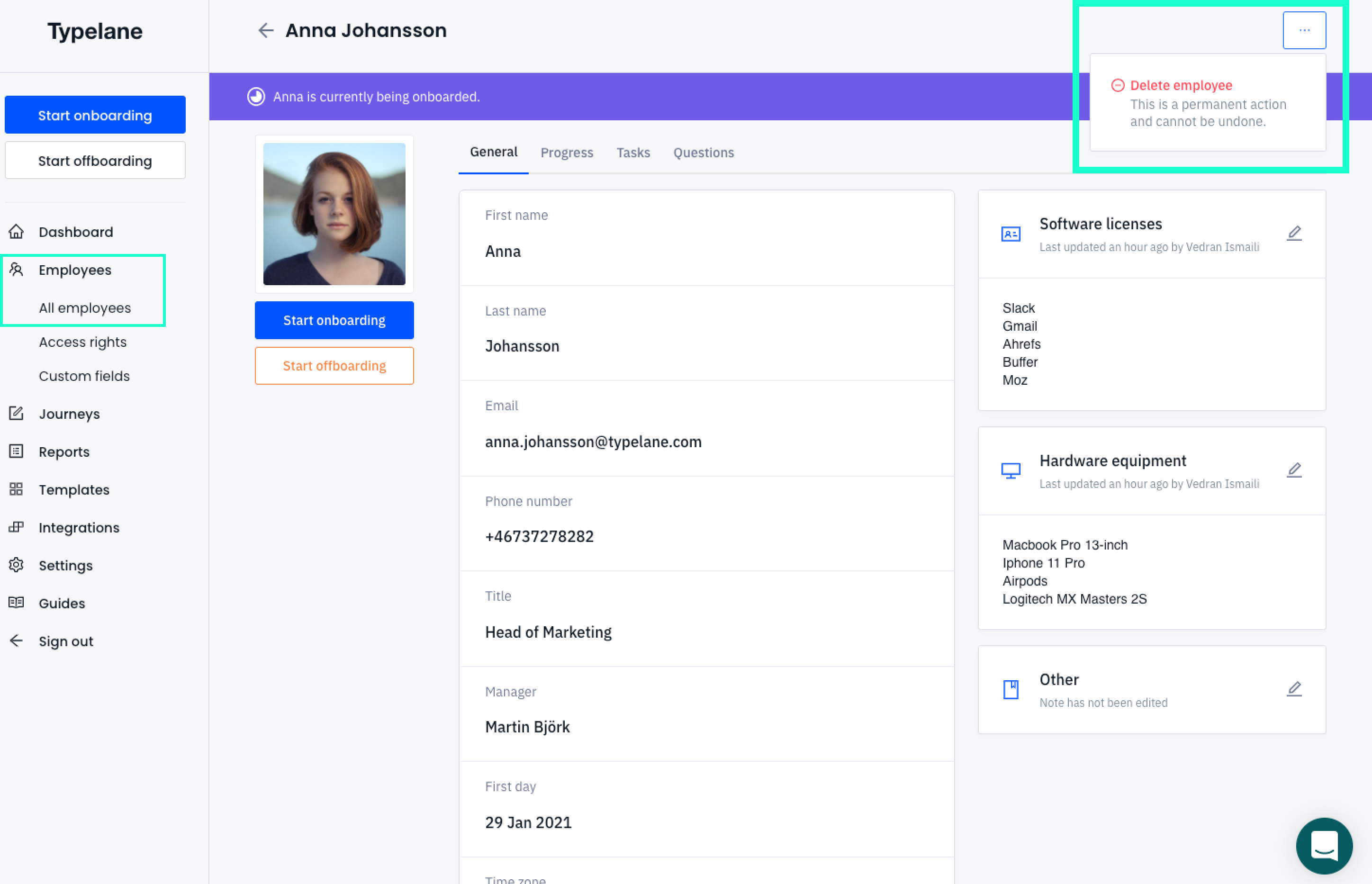
To remove an employee
Section titled “To remove an employee”- Navigate to the employee - click on them in the list
- In the right corner, you will see three dots, which you click
- A small pop will enable you to delete the user.
What happens to the employee data once an employee is deleted?
Section titled “What happens to the employee data once an employee is deleted?”Once an employee is deleted all their data is deleted across our systems within 48 hours.
How to remove an admin?
Section titled “How to remove an admin?”Read more about how you remove an admin here.