

Adding users to Typelane
You can add employees to Typelane in three different ways. Employees can be added either by:
- Triggering an onboarding in Typelane - They will be automatically added to the employee list
- Being manually added to Typelane - You can add employees without onboarding them
- Imported via an integration - You can add employees via an integration that automatically pushes hires to the system.
1. Add employees by onboarding them
Section titled “1. Add employees by onboarding them”Every time you onboard a new employee they will automatically be added to them system. In this video below you can see how to onboard a new hire.
2. Add employees manually
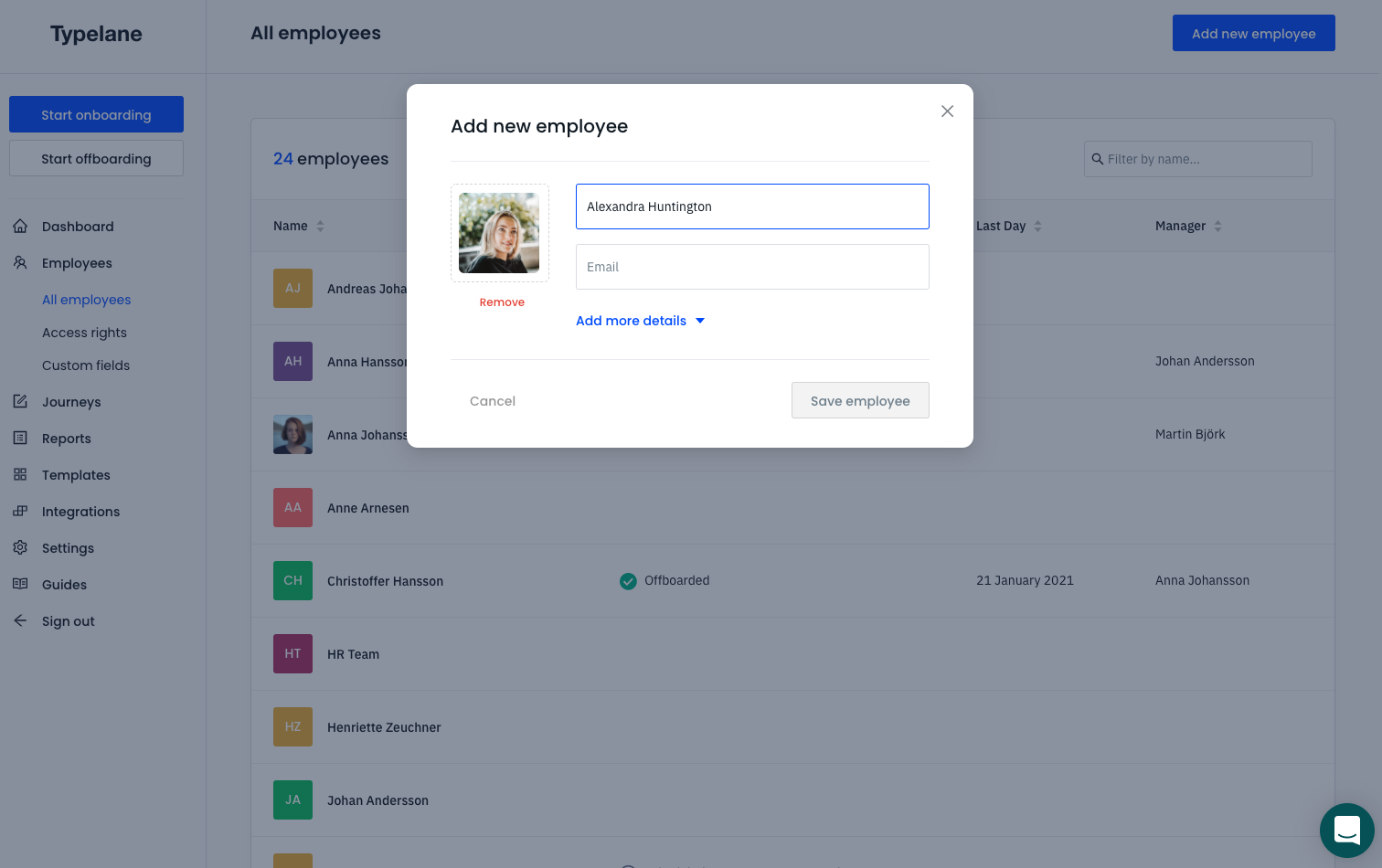
Section titled “2. Add employees manually”You can add employees manually when setting up your platform or adding new manager or other stakeholders.
- Navigate to Employees, it is located in the left navigation
- Once in users you click Add new employee which is located in the top right corner
- There you just add the details for the user you want to add.
3. Add employees via integrations
Section titled “3. Add employees via integrations”You can also add employees via integrations. You can read more about it here.